
SP Smart Cleaner: A Handy Tool to Clean and Optimize Your Android Device

SP Smart Cleaner is a free Android application developed by 陳珍汾. This utility and tools app offers a range of features to help you clean and optimize your Android device. Whether you want to free up storage space, remove unnecessary files, or improve your device's performance, SP Smart Cleaner has got you covered.

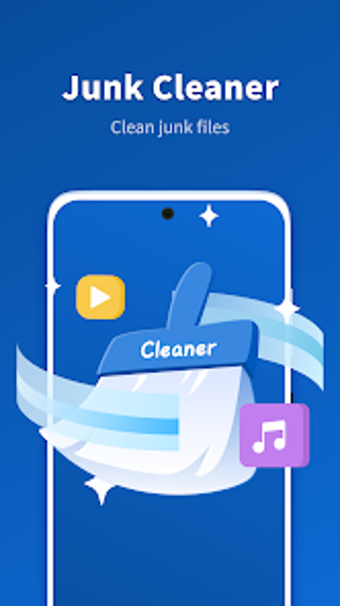
One of the key features of SP Smart Cleaner is the Junk Cleaner. This feature allows you to scan and clean up junk files that are taking up valuable space on your device. With just a few taps, you can remove unnecessary cache files, temporary files, and other unwanted data, helping your device run faster and smoother.

In addition to the Junk Cleaner, SP Smart Cleaner also provides a Large File Cleaner. This feature helps you identify and remove large files that may be occupying a significant amount of storage space. By getting rid of these large files, you can create more room for important data and optimize the performance of your device.

Another useful feature of SP Smart Cleaner is the Notification Cleaner. With this feature, you can easily clear your notification bar, removing all the clutter and unnecessary notifications that may have accumulated over time. This not only helps in organizing your notifications but also provides a cleaner and more streamlined user experience.

Lastly, SP Smart Cleaner offers a WiFi Test feature. This feature allows you to test the connection of your device to a WiFi network. It provides information about the network's speed, signal strength, and stability, helping you identify any issues and ensuring a smooth and reliable internet connection.

Overall, SP Smart Cleaner is a handy tool for Android users who want to keep their devices clean, optimized, and running at their best. With its Junk Cleaner, Large File Cleaner, Notification Cleaner, and WiFi Test features, it offers a comprehensive solution for managing and improving the performance of your Android device.

 0/1

App specs

  • License

    Free

  • Version

    1.2.1

  • Latest update

  • Platform

    Android

  • OS

    Android 13.0

  • Language

    English

    Available languages

    • English
    • German
    • Portuguese
    • Korean
    • Finnish
    • Greek
    • Italian
    • French
    • Czech
    • Arabic
    • Japanese
    • Polish
    • Danish
    • Turkish
  • Downloads

    24

  • Size

    21.16 MB

  • Developer

  • Download Options

    APK, Google Play

  • Filename

    com.smart.cleamer.sc_1.2.1.apk

Program available in other languages


User reviews about SP Smart Cleaner

Have you tried SP Smart Cleaner? Be the first to leave your opinion!

Add review

You may also like

Explore Apps

Latest articles

Laws concerning the use of this software vary from country to country. We do not encourage or condone the use of this program if it is in violation of these laws.
Softonic

Is SP Smart Cleaner safe?

95/100

Score result: Warning

This file has been flagged as potentially harmful or containing unwanted bundled software. Please proceed with caution.

  • Virus free
  • Spyware free
  • Malware free
  • Verified by Security Partners

    VirusTotal logo

Scan Info

Last scan
Saturday, November 1, 2025
Scan provider
VirusTotal · Full report

File Integrity

File
com.smart.cleamer.sc_1.2.1.apk
SHA256
2a9fb06f88ef9da6446c662a8f7309f507a3128553aa96e4fccd1244fe28ddf8
SHA1
bba65e1d966b5de90c6890515a0d46d9f874c79d

Softonic security notice

This software has been thoroughly scanned by our advanced security systems and verified by industry-leading partners. However, one or more antivirus engines have flagged this software with potential risks. While these detections may be false positives, we recommend caution when downloading and installing. Some programs may include unwanted software or behaviors that could affect your device. False positives can occur when safe software is mistakenly flagged as harmful due to overly cautious detection rules or algorithms in antivirus tools. This means the program may still be safe to use, but we advise reviewing the details before proceeding.